Software for K-12 school districts

One roster and one sign-in for every app your district buys.

Aptik is ten K-12 products on a shared foundation. Load your students and staff once, by CSV upload, Clever or Microsoft School Data Sync, and staff sign in with the Google or Microsoft accounts they already have. You choose which apps see which people: only grade 6 into Compass, for instance.

1 Sources

  • CSV uploadColumn mapping, validation, duplicate handling
  • Clever
  • Microsoft School Data Sync
  • Entra ID and Google WorkspaceGroups only
  • SFTPComing later

2 Groups and the apps they reach

Grade 6 students

  • Reaches
  • Compass
  • Assembly
  • Pulse

Grades 7 to 12 students

  • Reaches
  • Assembly
  • Pulse

Teachers

  • Reaches
  • Assembly
  • Compass

Facilities staff

  • Reaches
  • Blueprint
Illustration. Group names and routing are an example, not a real district.

Roster and sign-in

Load the roster once.

Every product reads the same district roster, so adding a second product does not mean a second import.

  1. 1ExportUpload a CSV with column mapping, validation and duplicate handling, or connect Clever or Microsoft School Data Sync. Groups can also come from Microsoft Entra ID and Google Workspace. SFTP is planned, not available yet.
  2. 2PreviewThe sync lists what it would create, match, reactivate and deactivate before it writes anything. A file that would deactivate an unusually large share of the district is held for someone to confirm.
  3. 3ScopeYou decide which apps receive which people. Example: send only grade 6 to Compass. This is set up with your district during scoping.
  4. 4Sign inStaff use their Google Workspace or Microsoft 365 account. Aptik does not store a password.

The suite

The ten products.

Each product is deployed on its own and you pay only for the ones you run. They share the roster and the sign-in.

Operations

Buildings, fields and the teams that keep them running.

  • Venue: featuresFacility rentals

    Community groups request gyms, fields and classrooms; staff approve, invoice and track use.

    venue.aptik.io
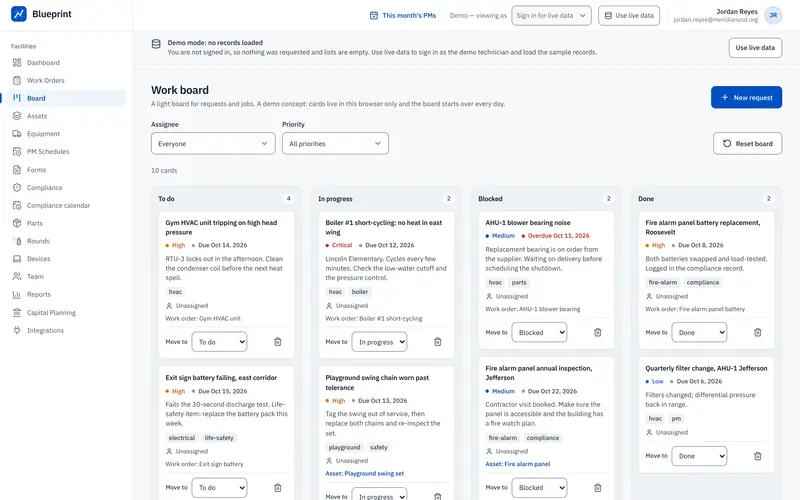
  • Blueprint: featuresMaintenance (CMMS)

    Work orders, preventive maintenance schedules and an asset registry for facilities staff.

    blueprint.aptik.io

Communication

Reaching families, staff and the public.

  • Podium: featuresWebsites & CMS

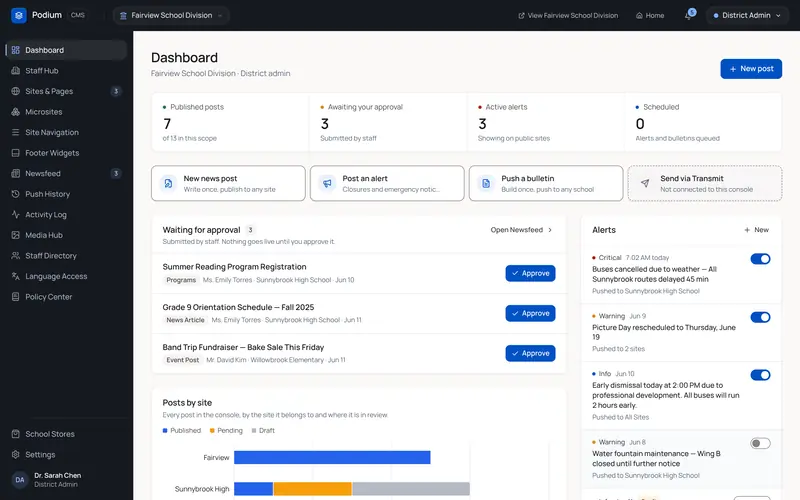
    One CMS for every school website, with shared templates and district-wide alert banners.

    podium.aptik.io
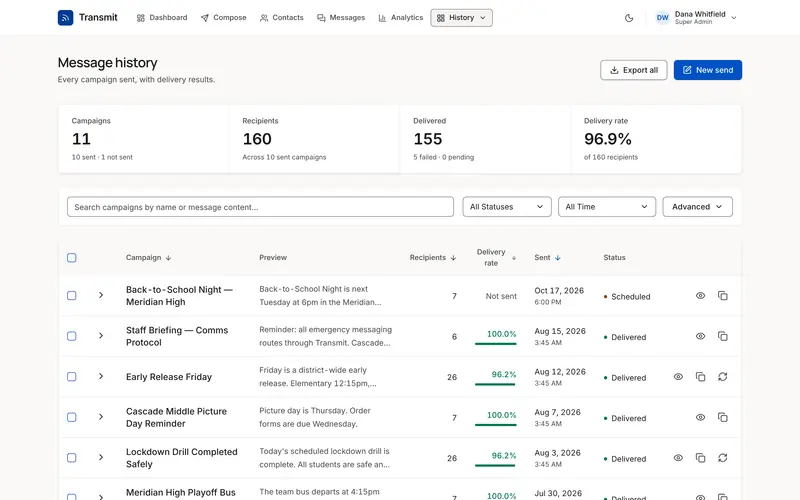
  • Transmit: featuresNotifications

    Send one message by SMS, email, voice or push to lists built from the roster.

    transmit.aptik.io
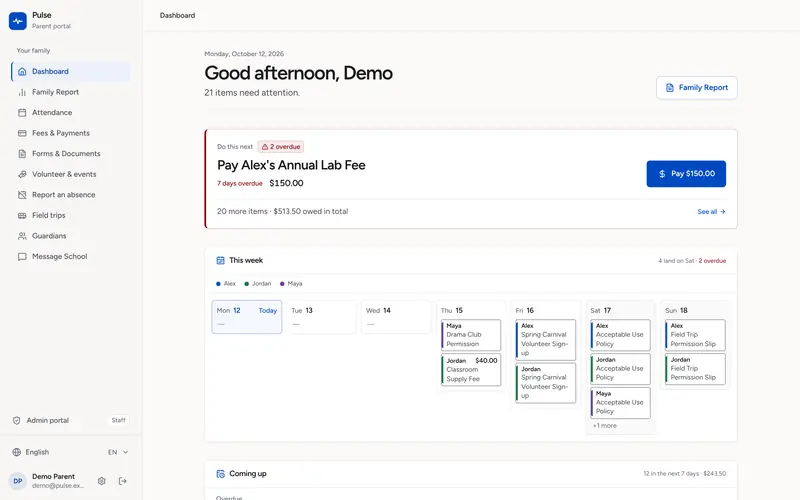
  • Pulse: featuresParent portal

    Parents see fees, field trips, grades, attendance and announcements under one login.

    pulse.aptik.io

Teaching & services

Classrooms, and the specialists who support them.

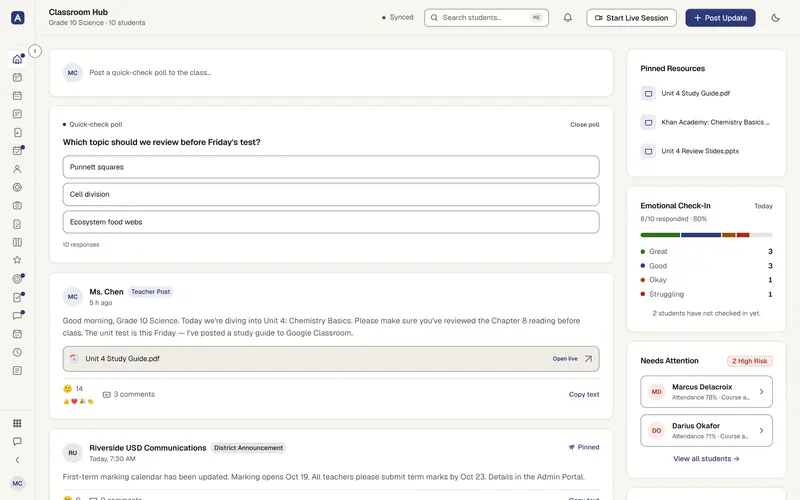
  • Assembly: featuresLearning platform

    Assignments, gradebook and attendance for teachers, with a view for guardians.

    assembly.aptik.io
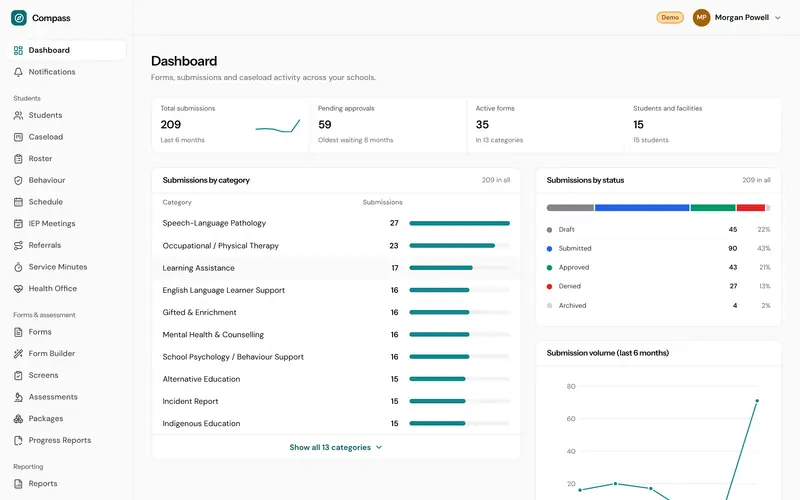
  • Compass: featuresSpecialist services

    Referrals, assessments, IEPs and service logs for LAT, SLP, OT and Ed Psych caseloads.

    compass.aptik.io

Business office

Money, people and the contracts between them.

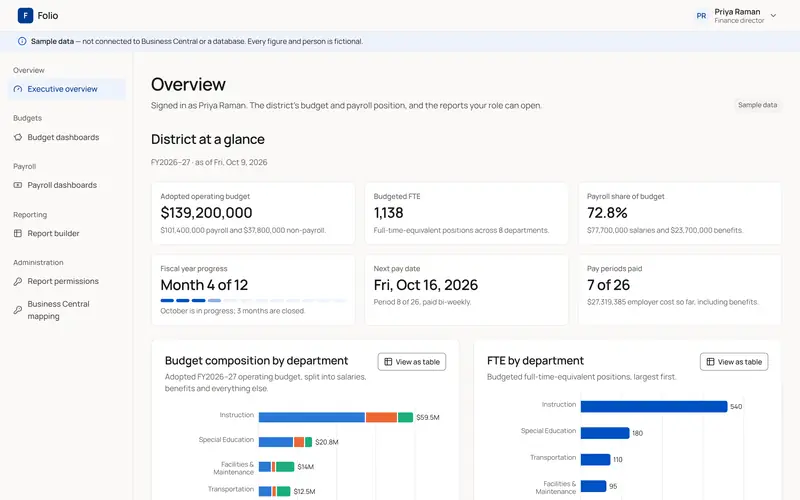
  • Folio: featuresERP & finance

    General ledger, budgets, payroll and purchase orders on fund accounting.

    folio.aptik.io
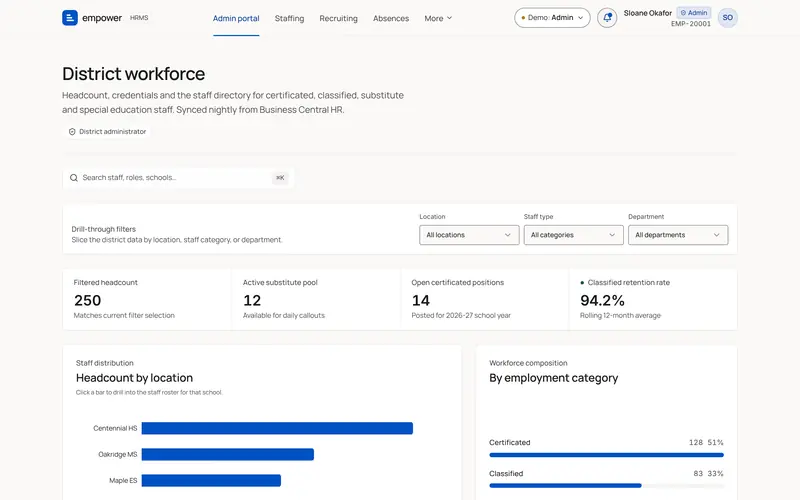
  • Empower: featuresHRMS

    Hiring, onboarding, certification tracking, evaluations and leave.

    empower.aptik.io
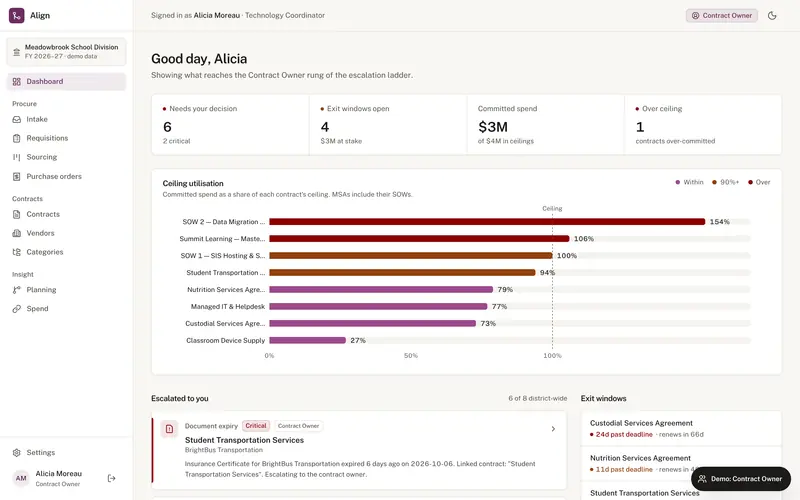
  • Align: featuresContract management

    Contracts tracked from intake through signature, renewal and expiry.

    align.aptik.io

Features

Features by product.

Choose a product to see what it covers. Each one can be walked through with your own district's setup.

Venue · Facility rentalsvenue.aptik.io (opens in a new tab)

Rental requests, approvals and invoices for community use of district spaces.

Community groups request gyms, fields, theaters and classrooms through a public booking page. Your staff approve each request, invoice it and report on use.
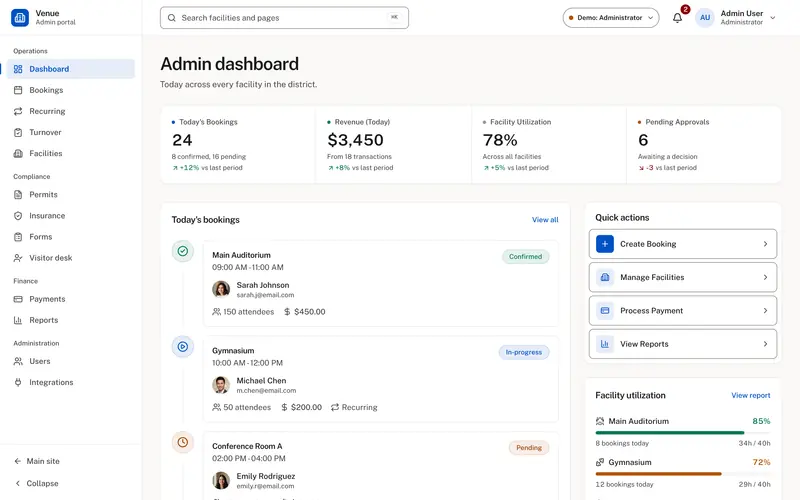
Venue admin dashboard: today's bookings, revenue, facility utilization and bookings awaiting approval.
Venue, admin dashboard. Live demo with sample data, not a real district.

Capabilities

  • Public, mobile-friendly booking portal
  • Real-time facility availability calendar
  • Configurable rental rates by group type
  • Automated invoicing & online payment
  • Insurance certificate & waiver collection
  • Conflict detection with school events
  • Custodial & set-up work order routing
  • Usage reports for board meetings

See Venue with your district's own setup.
Security

Security and data handling.

What the platform does today, in terms you can check against your own privacy requirements.

Database
Postgres, row-level security
Encryption at rest
Database provider
Region
ca-central-1
Served from
Cloudflare Workers
Row-level security
Every product has its own Postgres schema, and access is enforced by the database itself, so a rule applies to every query, including ones written later.
Your identity provider
Staff sign in with the Google Workspace or Microsoft 365 accounts your district already manages. Aptik never stores a password.
Canadian data residency
Data lives in ca-central-1 and is encrypted at rest by the database provider.
Roster sources
CSV upload, Clever and Microsoft School Data Sync, with groups from Microsoft Entra ID and Google Workspace. SFTP is coming later. A sync shows what it would create, match, reactivate and deactivate before it writes.
Accessibility, measured
Public pages are audited for text and control contrast and accessible names, on phone and desktop widths.
Your DPA, answered
Bring your data processing agreement and privacy requirements to the scoping call. We answer them specifically, in writing.

Implementation

From contract to go-live.

Four steps, from the first call to a school going live.

  1. 1

    Scoping call

    We meet your IT lead and the person who will own the product. We list the systems it connects to, what has to be migrated, and the dates.

  2. 2

    Set-up and migration

    We set up your district, load the roster, connect Google or Microsoft sign-in, migrate records you want kept, and check it with a small pilot group.

  3. 3

    Training and rollout

    Live training for site administrators, recorded video for everyone else, and a rollout one school or department at a time.

  4. 4

    Support

    You write to the people who build the product. It is a small team, so the person who answers can also make the fix.

FAQ

Common questions.

Something else? hello@aptik.io

No. Each product — Venue, Podium, Transmit, Assembly, Folio, Empower, Compass, Blueprint, Align, and Pulse — is deployed independently. What they share is the part that usually costs you money elsewhere: one sign-in, one database, and one place your roster lives, so a second product does not mean a second integration project.

There is no per-integration surcharge and no charge for the shared platform underneath — you pay for the products you run. We will put a written quote in front of you after a short scoping call, once we know which products and how many schools.

Today there are three ways to load a roster: a CSV upload (with column mapping, validation and duplicate handling), Clever, and Microsoft School Data Sync. Groups can also come from Microsoft Entra ID and Google Workspace. SFTP is listed as coming later. There is no JSON import, and we do not claim a connector for every SIS: if yours is not one of these, export a CSV, and ask us about anything else.

Every product has its own isolated Postgres schema, and access is enforced by Row Level Security in the database rather than by application code remembering to check — a rule the database holds applies to every query, including the ones written later. Data is encrypted at rest by the database provider and lives in Canadian infrastructure (ca-central-1). Sign-in runs through your existing Google Workspace or Microsoft 365 tenant, so we never hold a password. Bring your DPA and privacy requirements to the scoping call and we will answer them specifically rather than in marketing copy.

You get direct access to the people who build it — this is a small team, not a tiered queue, and the person answering has read the code. Ask us about response commitments during scoping and we will tell you what we can actually hold to in writing.

We design for low training time, mixed comfort with technology and little IT support, because that is how most schools are staffed. The best test is to put the product in front of two of your own staff during the evaluation and watch them use it.

Contact

Request a walkthrough.

Tell us your district and the products you are looking at. We will reply with a walkthrough of those products, not a generic demo.

Walkthrough
Live, 30–45 minutes
Led by
A person who builds the product

Request a walkthrough

All fields except notes are required.

Opens your email app, addressed to hello@aptik.io.